
VIPTools / Document workflow
Email Signature Studio
Build and repair an HTML email signature.
Choose from 30 templates or import existing HTML. Search and filter layouts, adjust style, inspect warnings and export HTML or plain text.
Open Email Signature StudioSign-in and tool access are required. This page is a preview, not the editor.
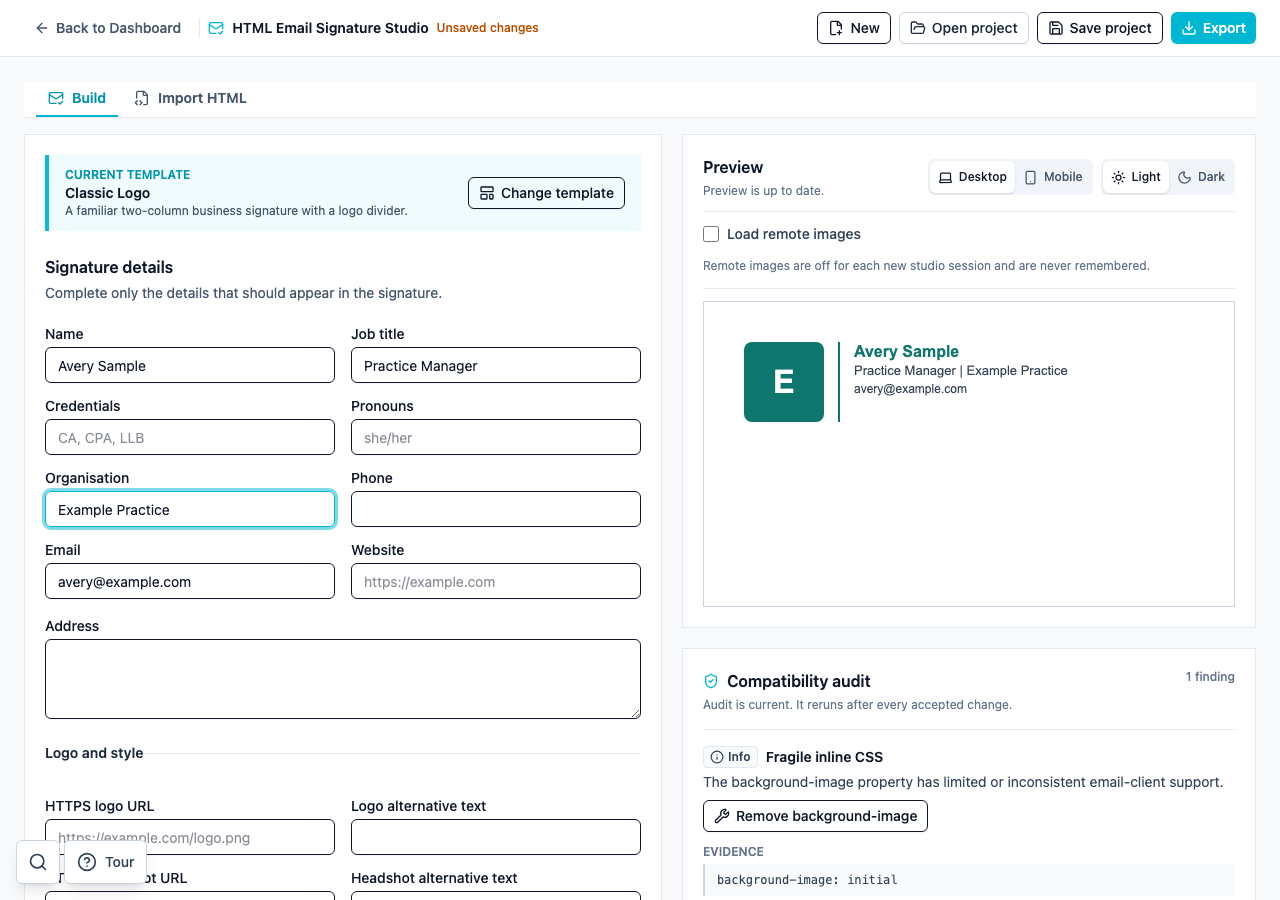
From source to output
Build or import
Search 30 templates and filter by style, image type and spacing. Apply a layout without losing contact details, or import HTML for local sanitisation.
Edit and inspect
Adjust colours, email-safe fonts, font size, spacing and image shape or size. Review warnings. Remote images stay blocked in the preview until you choose to load them.
Export your signature
Copy or download HTML or plain text. Save a versioned signature project for later changes.
Privacy and processing
Signature editing and HTML sanitisation run locally. Loading remote images contacts their external hosts after your consent. Exported HTML can still contain remote image URLs; an email client or recipient can load them. Project files contain your signature details, so store them securely.
What to check
Email clients can render HTML differently. Test the signature in your target client before use. Sanitisation does not certify a signature as safe or guarantee identical formatting. HTML imports are limited to 1 MiB. This tool does not install the signature in your mailbox.